



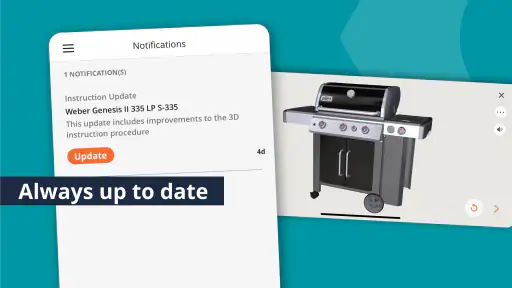
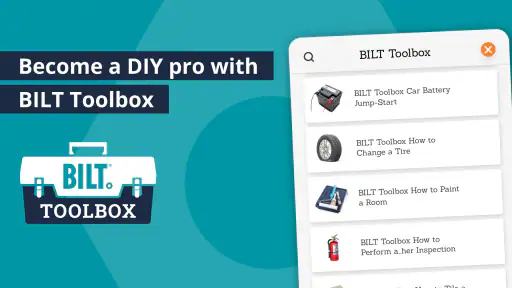
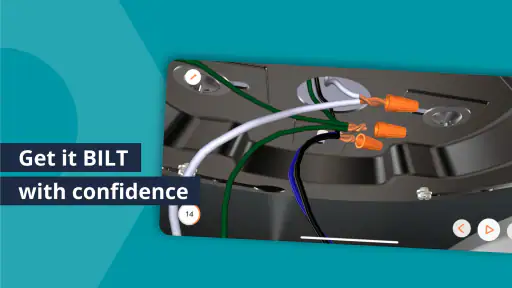
Putting together furniture or handling a home project is usually less about the difficult parts and more about avoiding one small mistake early on. A bolt goes into the wrong hole, a panel is turned around, or a step is skipped because a printed diagram was hard to read. BILT: 3D Instructions takes a different approach: it turns supported product manuals into interactive, three-dimensional guidance that I can follow on my phone or tablet. After using it as a practical lifestyle tool, I found it most useful when I treated it as a visual workbench rather than simply another manual.
The app is free, made by BILT Inc., and aimed at everyone rather than a specialist audience. Its 4.3 average from around 8.7 thousand ratings suggests that many people find the format helpful, while more than one million installs show that it has reached well beyond occasional DIY enthusiasts. The current release is version 5.43.0, and it runs on Android 8.0 or later. Those details matter because the experience depends heavily on having a device that can display animated instructions comfortably.
From opening the manual to finishing the job
Start with the product, not the tool
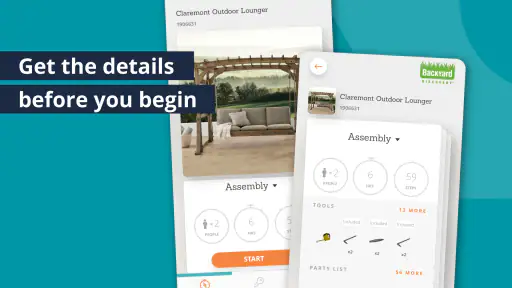
My preferred workflow begins before I pick up a screwdriver. I identify the exact product, open its instruction set in BILT, and look through the entire sequence once. That first pass is valuable because it reveals the order of assembly, the parts that need to be prepared, and any point where the object must be rotated or supported. With a paper manual, I often discover those requirements only when I reach the relevant page.
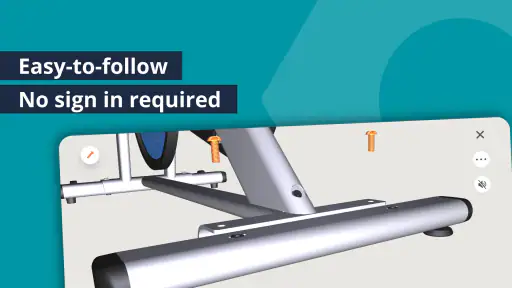
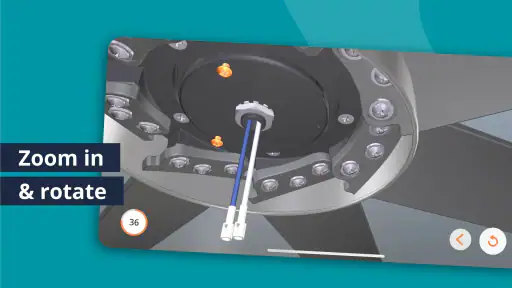
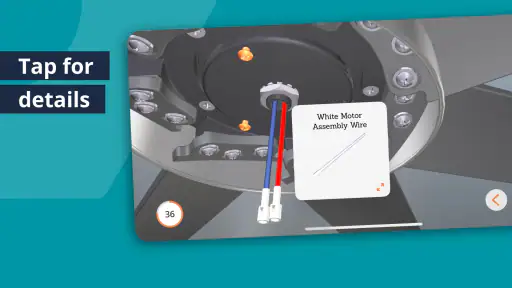
The interactive view makes orientation easier. Instead of interpreting a flat arrow, I can inspect the part as it appears in the model and follow the movement shown on screen. I still have to pay attention to the real object in front of me, but the visual relationship between pieces is clearer than a traditional line drawing. This is especially helpful when two panels look almost identical but have different hole patterns or finished sides.
I would not begin by spreading every component across the floor. A better habit is to use the early instructions to identify the first group of parts, then keep the remaining pieces aside. This reduces clutter and makes it less likely that a similar-looking screw or bracket will be used too soon. BILT does not remove the need to sort carefully; it simply gives me a better reference while I do it.
A realistic weekend example
Imagine assembling a storage unit on a Saturday afternoon. I would first place the phone or tablet where I can see it without leaning over the work area, then check the opening steps and identify the base, sides, fasteners, and tools. Before tightening anything fully, I would compare the orientation shown in the animation with the real panels. That pause is important: many assembly errors are not caused by misunderstanding the words, but by fitting a part correctly in the wrong direction.
As I move through the instructions, I would mark my place mentally by completing one clear stage at a time. If someone helps me, I can show them the same view instead of trying to describe which edge or hole I mean. The app is particularly useful in this shared situation because both people can refer to the same visual sequence, reducing the familiar “hold it this way” confusion.
For a small item, the benefit is convenience. For a larger project, the benefit is error prevention. Reversing a panel or missing a support can force partial disassembly, so spending a few seconds checking the next visual step is usually faster than rushing ahead.
What the app can and cannot replace
BILT is not a substitute for checking the physical parts, the labels, or the safety instructions supplied with the product. The app can show how pieces fit, but it cannot tell me whether a board is damaged, whether I have the correct tool in my hand, or whether the floor is suitable for the work. I also keep the real hardware nearby because a screen cannot replace comparing screw length or checking that a connection is properly seated.
This distinction is one of the app’s most important practical limits. Its value is strongest when the problem is visual understanding. If the problem is missing hardware, unclear product identification, or a structural issue, I need the manufacturer’s support process or the physical documentation instead.
Settings and preparation that make a difference
There is no reason to wait until the project is half assembled before making the app comfortable to use. I check the device’s brightness, screen timeout, and orientation first. A dim display is difficult to consult under furniture, while an aggressively short timeout creates unnecessary interruptions. These are device-level adjustments rather than special BILT controls, but they have a noticeable effect on the workflow.
I also make sure the phone or tablet is stable. A stand, a nearby shelf, or a clean surface is better than laying the device flat among screws. When the screen remains visible, I can glance at the next step without picking up the device with dusty or greasy hands. This is a simple improvement, but it turns the app from something I repeatedly handle into a reference I can consult at a glance.
The most useful preparation is not technical: it is creating a clean viewing position before assembly begins. That habit prevents the common problem of balancing a phone on a box, losing the current view, and then trying to remember the last instruction.
Use the model as a checking tool
Many people use interactive instructions only after becoming stuck. I get more value by using the model before each irreversible action. Before tightening a connection, I compare the visible face, the hole position, and the direction of the adjoining piece. This is a repeatable check that takes little time and catches mistakes while they are still easy to correct.
Another useful pattern is to inspect the next step before finishing the current one. Sometimes the following stage requires leaving a joint accessible or positioning the assembly in a particular way. Seeing that early helps me avoid tightening or placing the unit where it will be awkward to continue. A printed manual can support the same behavior, but the three-dimensional view makes the reason easier to understand.
Faster patterns for repeat users
Once I know the basic workflow, I stop treating every instruction as an isolated command. I group the work into repeatable phases: identify parts, confirm orientation, fit loosely, verify alignment, and tighten when the sequence allows it. BILT supports this habit because the visual steps give me a consistent reference for each phase. The app does not perform the assembly, but it helps me apply the same discipline to different products.
For repeated projects, I keep the device setup consistent. The same stand position, similar brightness, and a clear workspace mean less time spent adjusting the environment. I also preview the full sequence before starting rather than discovering halfway through that a later step changes how I should hold the item. This is a small shortcut, but it is more reliable than trying to memorize instructions.
Another speed improvement is separating “recognition” from “execution.” First I look at the screen and identify the part and movement. Then I put the device down and perform the action. This avoids switching attention constantly between the display and the hardware. When the step is complete, I return to the screen for verification. I find this safer and quicker than watching the animation while simultaneously manipulating a heavy piece.
Where BILT is stronger than a paper manual
Compared with a conventional booklet, BILT is easier to understand when depth and orientation matter. A flat illustration can show a screw entering a hole, but it may not make the angle, hidden edge, or rotation obvious. Interactive three-dimensional instructions are especially valuable for first-time assemblers, people who do not enjoy technical diagrams, and anyone working with a product whose panels look similar.
It is also more practical when two people are working together. Instead of passing a paper page back and forth or pointing at a tiny drawing, I can keep the visual reference visible and use it to coordinate the next movement. That does not eliminate communication, but it gives the conversation a shared point of reference.
Paper still has advantages. It never needs a charged device, it can be placed directly beside dusty work, and it is easy to annotate. A basic PDF or manufacturer webpage may also be preferable when I already understand the construction and only need to search for one specification. BILT earns its place when seeing the assembly is more useful than reading it.
Advanced limits experienced users should expect
The interactive format can make a supported product feel approachable, but it cannot make every project simple. Large assemblies still require floor space, patience, and sometimes another person. A phone screen may also feel cramped when the object is complicated, so a tablet is more comfortable when available. I would not assume that a small display automatically makes a large project easy to follow.
There is also a mental cost to relying too heavily on animation. A moving sequence can feel clear while it is playing, yet I still need to understand the final position and confirm it on the real object. I pause mentally between steps rather than rushing because the animation looks smooth. The best results come from using the 3D view to clarify, then using ordinary physical checks to confirm.
Product coverage is another practical consideration. BILT is useful when the exact item and its instructions are available in the app. It is not a universal reader for every manual in the home, and it should not be judged as one. If I am dealing with an unsupported product, a manufacturer’s document or a general repair guide may be the better route. That is not a flaw in the visual method; it is a reminder to confirm availability before planning an entire project around it.
People who prefer text-first instructions may also find the experience slower at first. The visual approach asks me to watch, rotate my attention, and compare the model with the real parts. Someone already comfortable with assembly may prefer a concise checklist. In that case, BILT is most useful as a verification tool for unusual steps rather than as something to follow continuously.
Who will get the most from it
I recommend BILT to renters, new homeowners, students, families setting up rooms, and anyone who has ever reached the end of an assembly with one unexplained leftover part. It is also a good companion for a helper who understands tools but wants a clearer picture of the intended sequence. The age rating of Everyone makes it broadly approachable, although younger users should still have adult supervision around tools, heavy components, and unstable furniture.
It is less suitable for someone looking for broad household repair advice, project planning, or a replacement for professional tradespeople. The app’s strength is product-specific assembly guidance. If the task involves diagnosing an electrical fault, modifying a structure, or deciding whether a wall can support a load, I would use an appropriate specialist resource instead.
My repeatable routine for fewer mistakes
My best routine is simple. I identify the product, preview the sequence, prepare a stable viewing position, sort only the parts needed for the current stage, and check orientation before tightening. I use the next step as a planning aid, not just as an instruction. When something does not match the model, I stop immediately instead of forcing the connection.
That last point matters more than any shortcut. Interactive guidance can show what should happen, but resistance, misalignment, or an unexpected gap is a reason to inspect the parts again. Experienced use is not blindly following the animation; it is combining the visual reference with sensible physical judgment.
My verdict after using the workflow
BILT: 3D Instructions is one of those apps whose usefulness appears at a very specific moment: when a normal manual stops making sense. Its free price makes it easy to try, and the lifestyle category is a natural fit because it addresses an ordinary home task rather than turning assembly into a technical hobby. BILT Inc. has focused the experience on making product instructions easier to see and follow, and that focus is its biggest strength.
I would install it before starting a supported furniture or home-product assembly, especially if the item has many similar pieces or confusing orientations. I would not rely on it as my only source for safety, missing parts, or specialized repairs, and I would check that the exact product is available before beginning. With those expectations, the app becomes more than a digital manual: it is a practical visual checkpoint that helps me work more deliberately and avoid the expensive mistake of assembling something correctly in the wrong direction.


